> For the complete documentation index, see [llms.txt](https://help.smallbuilder.com/llms.txt). Markdown versions of documentation pages are available by appending `.md` to page URLs; this page is available as [Markdown](https://help.smallbuilder.com/smallbuilder-schedules/eca-setup.md).
# External Client App (ECA) Setup
To perform metadata-related tasks in SmallBuilder Schedules — such as **creating and managing tabs** — additional configuration is required for the External Client App provided by SmallBuilder Schedules.
### Configuration steps
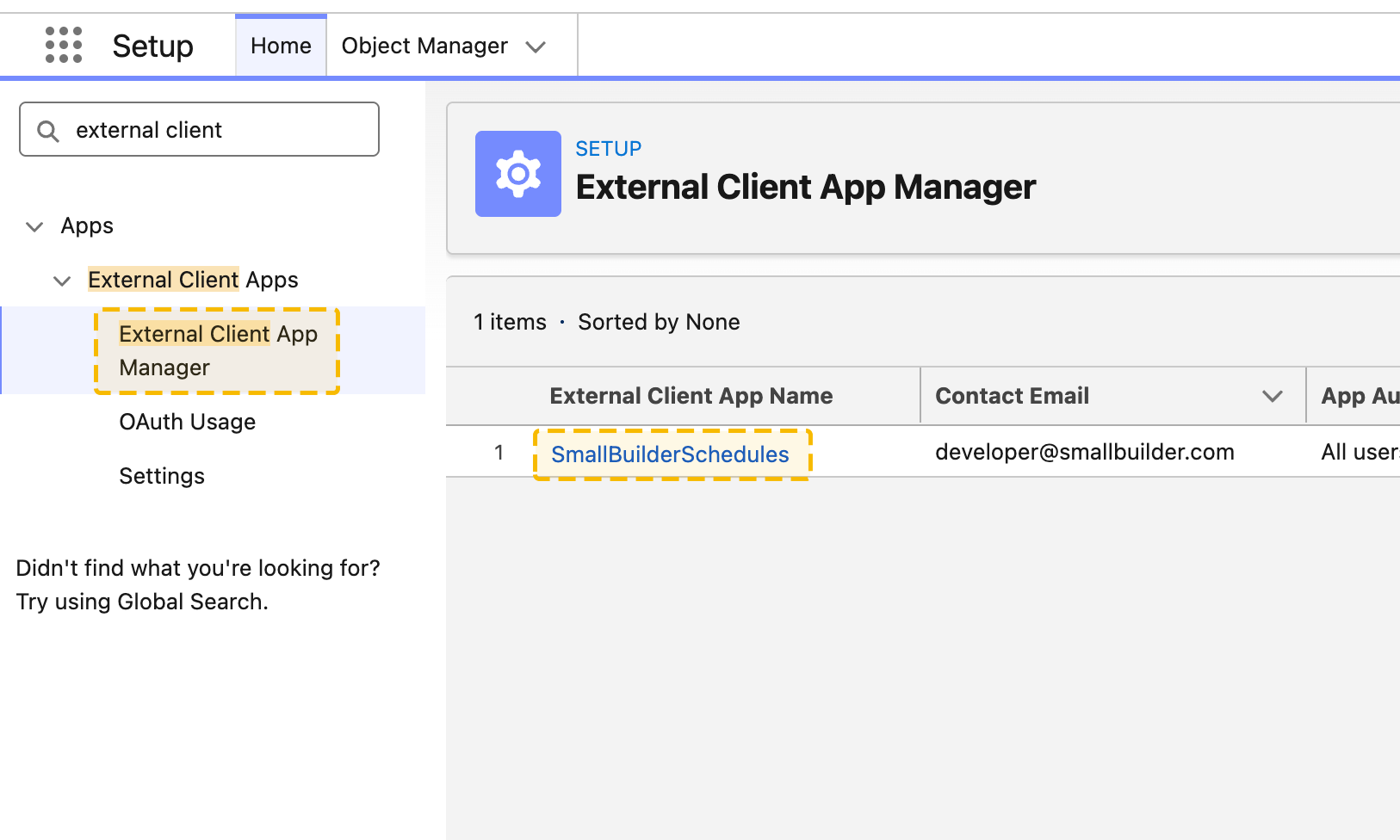
1. In **Setup**, enter External Client App in the Quick Find box and select **External Client App Manager**.
2. Click **SmallBuilderSchedules**.
3. Click **Edit**.
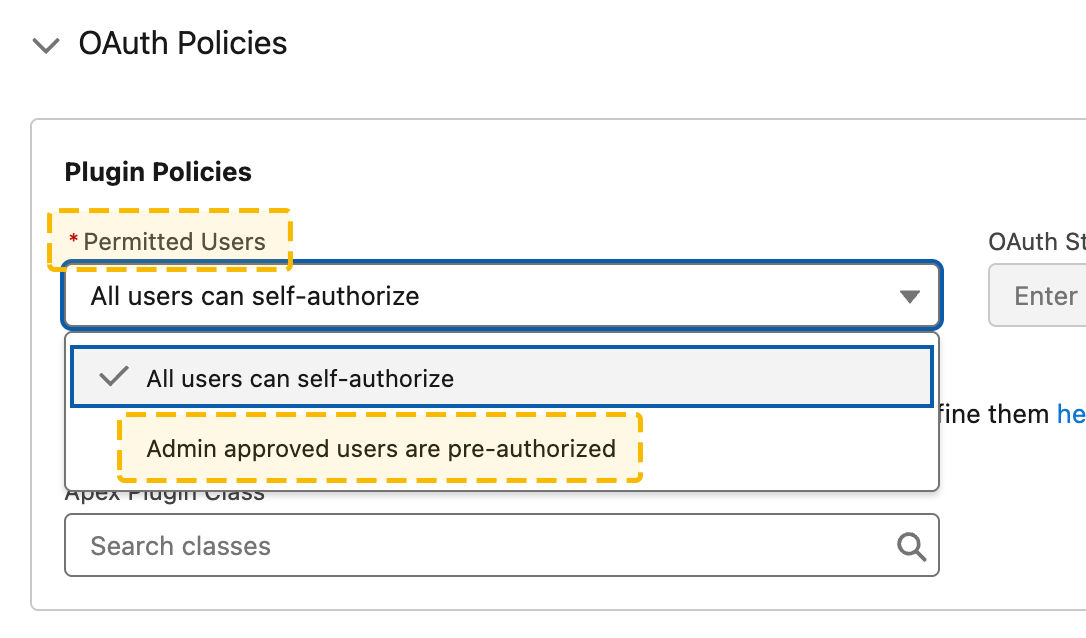
4. Under **OAuth Policies**, set **Permitted Users** to **Admin approved users are pre-authorized**.
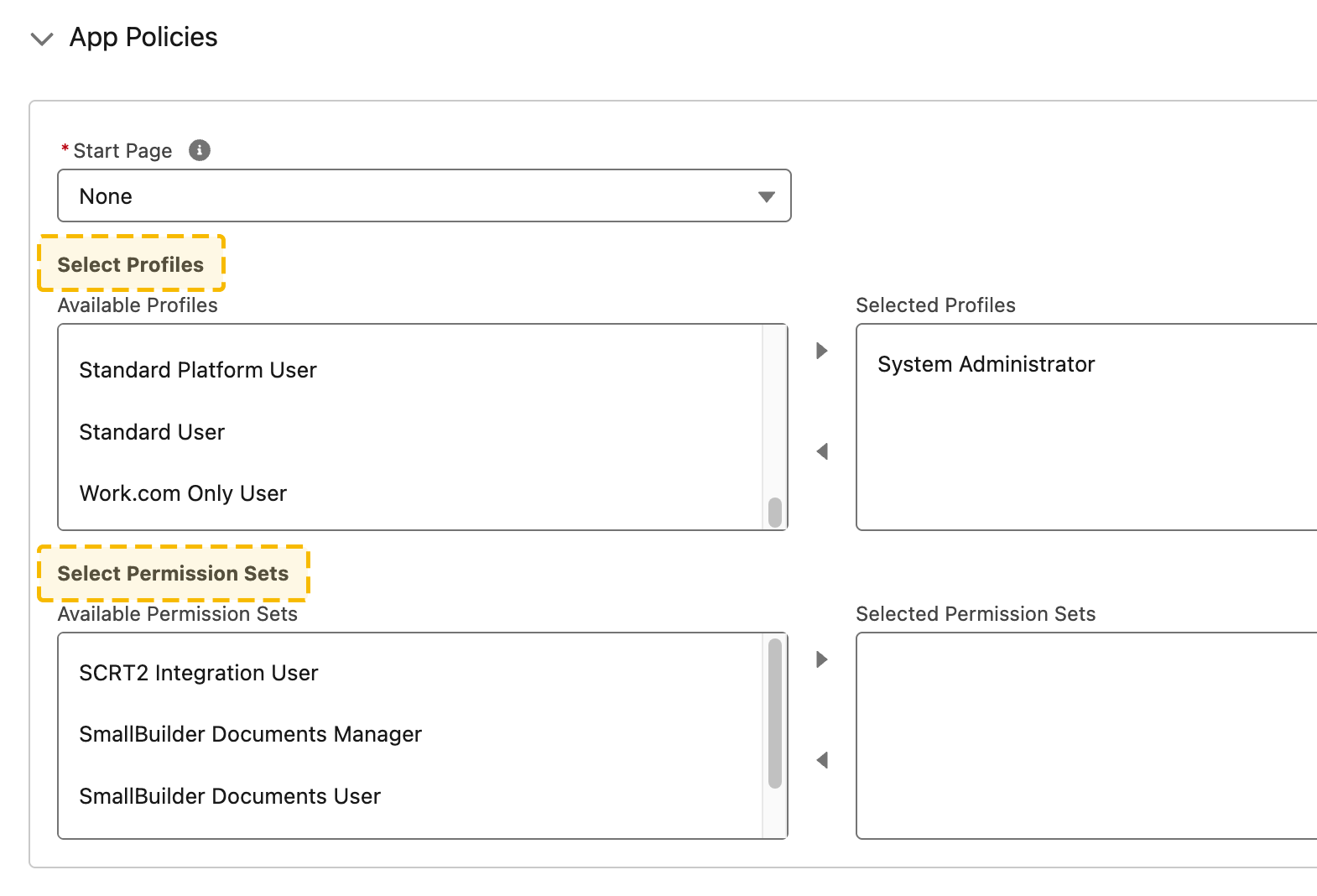
5. Under **App Policies**, select the **profile or permission set responsible for configuring the builder**.
6. Click **Save**.