> For the complete documentation index, see [llms.txt](https://help.smallbuilder.com/llms.txt). Markdown versions of documentation pages are available by appending `.md` to page URLs; this page is available as [Markdown](https://help.smallbuilder.com/smallbuilder-lists/builder-setup-steps/child-setup.md).

# Child Setup

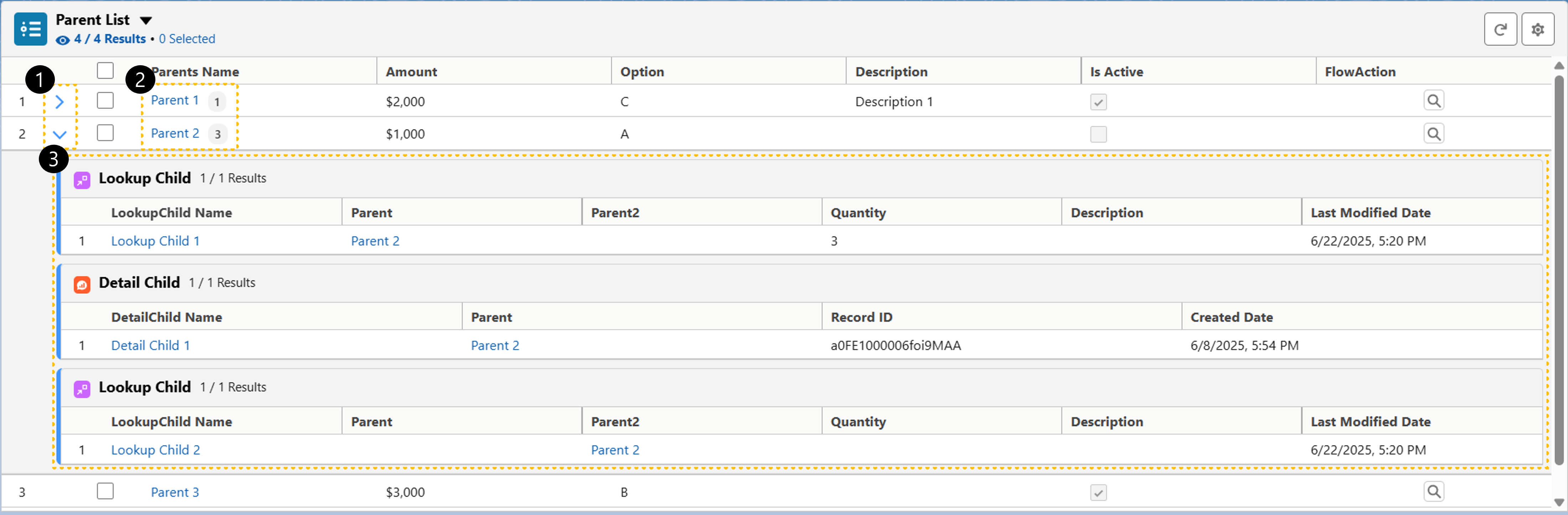
You can intuitively view both the records in the current list and their related child records within a single list.

<figure><img src="/files/jcc7y1Bmzyksuv0WOhYJ" alt=""><figcaption><p>리스트 화면</p></figcaption></figure>

<table><thead><tr><th width="60" data-type="number">No.</th><th width="178">Area &#x26; Button</th><th>Description</th></tr></thead><tbody><tr><td>1</td><td>Child List Toggle Button</td><td>The child list toggle button is shown when there are child records.</td></tr><tr><td>2</td><td>Child List Count</td><td>The total number of child records is displayed in the first column.</td></tr><tr><td>3</td><td>Child Record List</td><td>The linked child records are displayed in a list format.</td></tr></tbody></table>

***

### :small\_orange\_diamond: Child List Setting

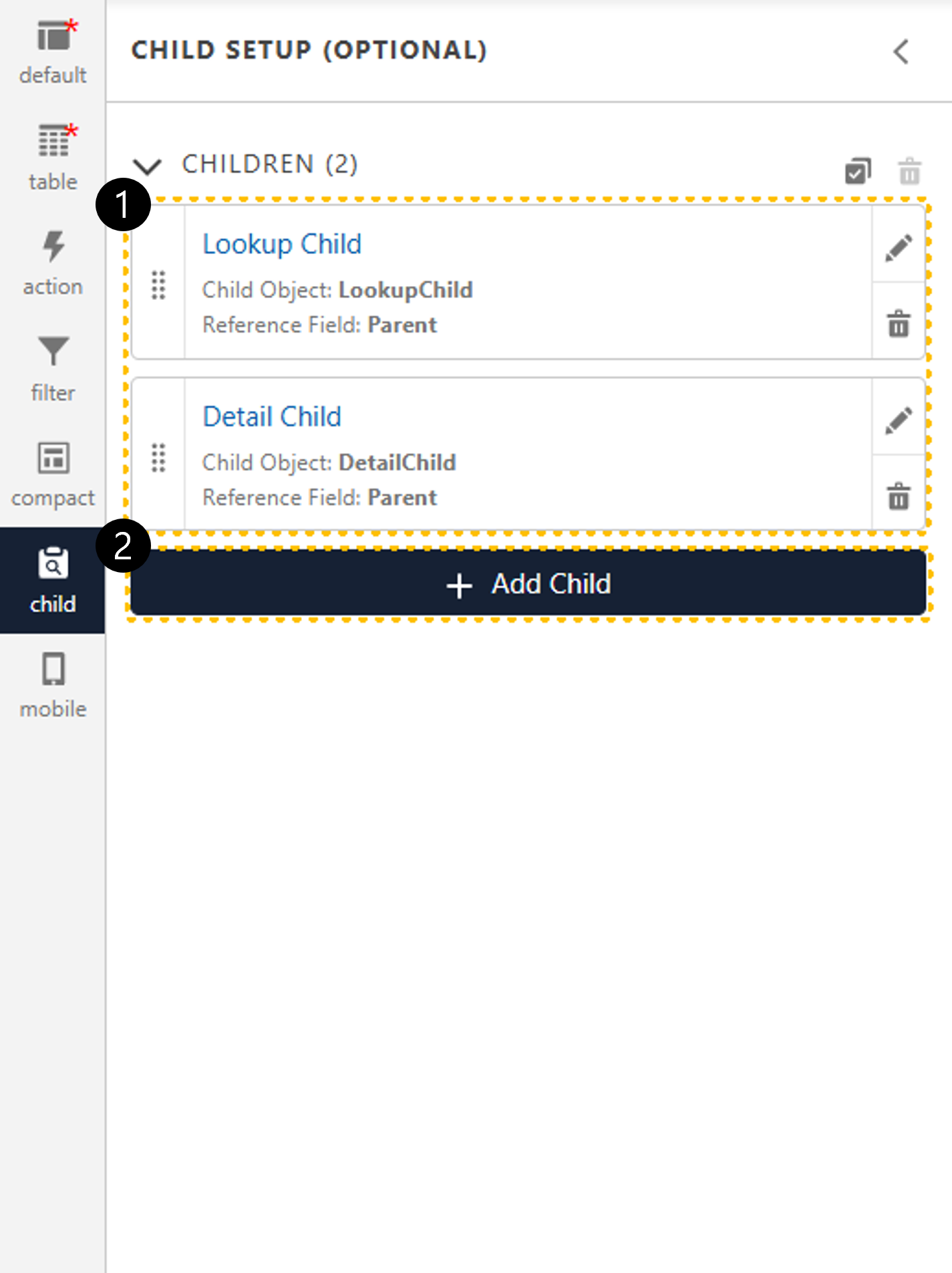
<figure><img src="/files/8lhRjS41ViTakdOicBK9" alt="" width="299"><figcaption></figcaption></figure>

<table><thead><tr><th width="60" data-type="number">No.</th><th width="178">Area</th><th>Description</th></tr></thead><tbody><tr><td>1</td><td>Child List</td><td>You can check the status of child list links configured in the list configurator.</td></tr><tr><td>2</td><td><a href="/pages/ISO6qVo7C5CDLgu1jyZM">Add Child</a></td><td>Add a child list related to the child records you want to display in the list view.</td></tr></tbody></table>