> For the complete documentation index, see [llms.txt](https://help.smallbuilder.com/llms.txt). Markdown versions of documentation pages are available by appending `.md` to page URLs; this page is available as [Markdown](https://help.smallbuilder.com/smallbuilder-line-items/builder/builder-setup-steps/setup-line-item-editor/set-default-value.md).
# Set Default Value
You can assign default values when adding Line Items. Default values can only be set for **text** or **numeric** fields.
{% hint style="warning" %}
Default values are only assigned **when a Line Item is added for the first time.**
{% endhint %}
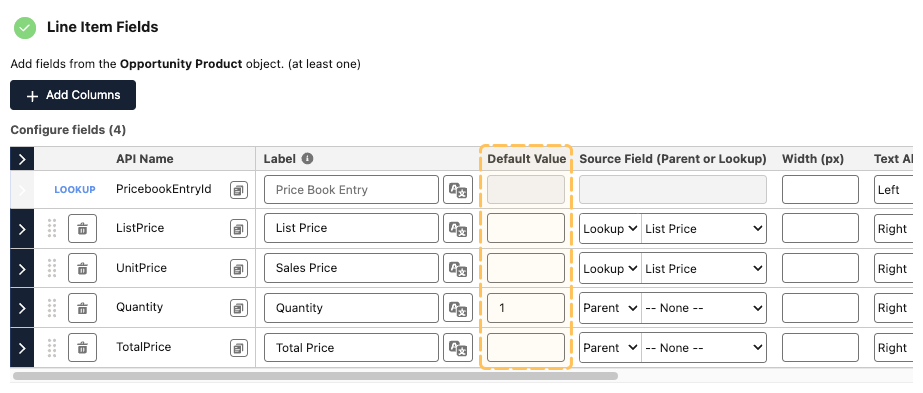
### Example: setting the Quantity Default Value to 1
In the builder, set the default value for the quantity field (column) to 1.
When adding a Line Item, the quantity will automatically be assigned a value of 1.