> For the complete documentation index, see [llms.txt](https://help.smallbuilder.com/llms.txt). Markdown versions of documentation pages are available by appending `.md` to page URLs; this page is available as [Markdown](https://help.smallbuilder.com/ko/smallbuilder-lists/undefined-1/undefined-3.md).
# 연결된 앱 설정
{% hint style="warning" %}
**버전 3.0부터는 외부 클라이언트 앱(External Client App, ECA)으로 전환되었습니다.**
버전 3.1 이상을 사용 중이신 경우 [외부 클라이언트 앱 (ECA) 설정](/ko/smallbuilder-lists/undefined-1/eca-setup.md) 페이지를 참고해 주세요. 아래 내용은 버전 3.1 미만의 Connected App 환경에 해당합니다.
{% endhint %}
SmallBuilder Lists에서 **탭 생성 및 관리**와 같은 메타데이터 관련 작업을 수행하려면 SmallBuilder Lists에 연결된 앱에 대한 추가 설정이 필요합니다.
***
### :small\_orange\_diamond: Step 1: 허용된 사용자 설정
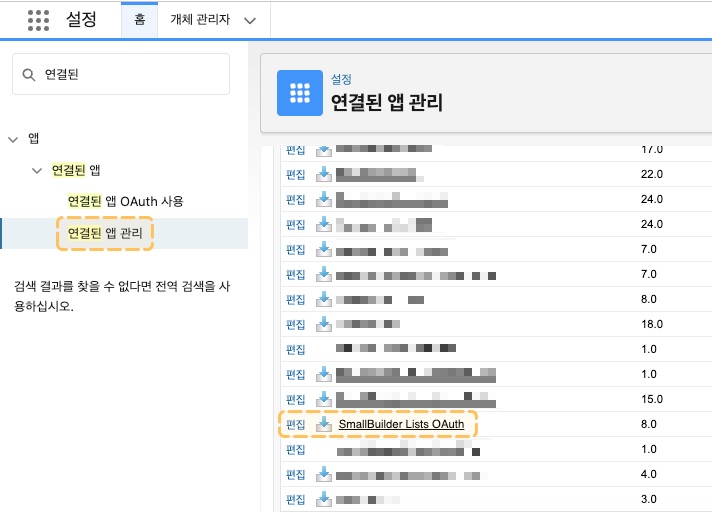
1. 설정에서 빠른 찾기 상자에 **연결된 앱**을 입력한 후 **연결된 앱 관리**를 선택합니다.
2. **SmallBuilder Lists OAuth 편집**을 클릭합니다.
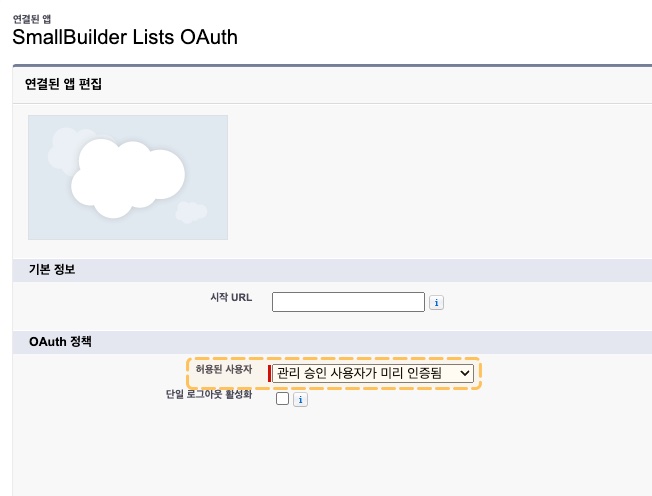
3. **허용된 사용자**를 **관리 승인 사용자가 미리 인증됨**으로 선택합니다.
4. **저장**을 클릭합니다.
***
### :small\_orange\_diamond: Step 2: 프로필 또는 권한 집합 할당
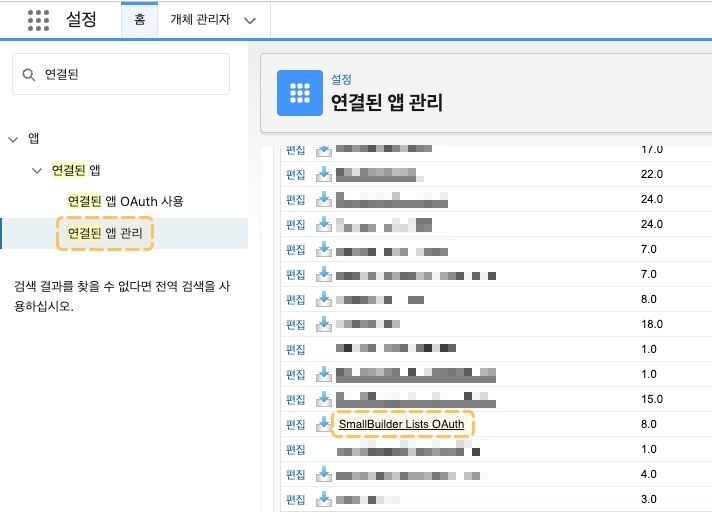
1. 설정에서 빠른 찾기 상자에 **연결된 앱**을 입력한 후 **연결된 앱 관리**를 선택합니다.
2. **SmallBuilder Lists OAuth**을 클릭합니다.
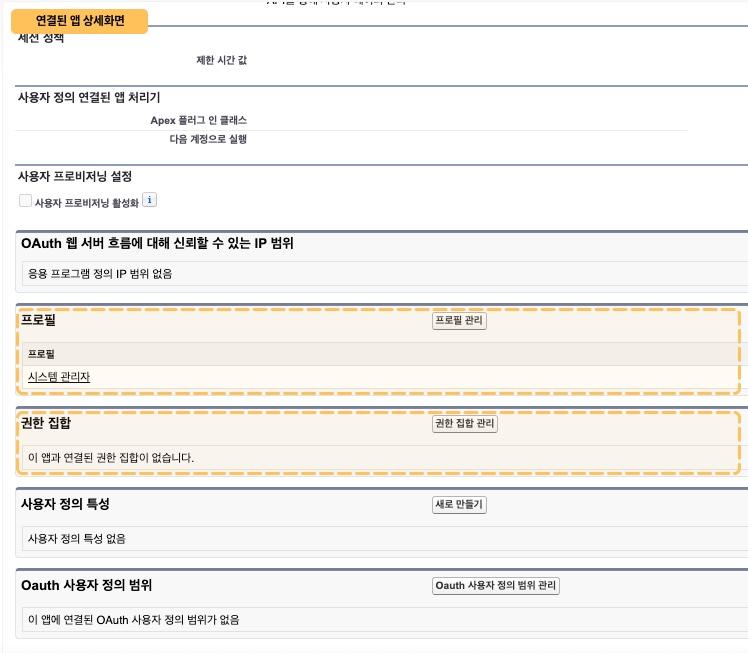
3. 하단에 **프로필 관리** 또는 **권한 집합 관리**를 클릭합니다.
4. **빌더 설정을 담당하는 프로필 또는 권한 집합**을 선택합니다.
5. **저장**을 클릭합니다.