# 편집기 화면 비율 조절하기

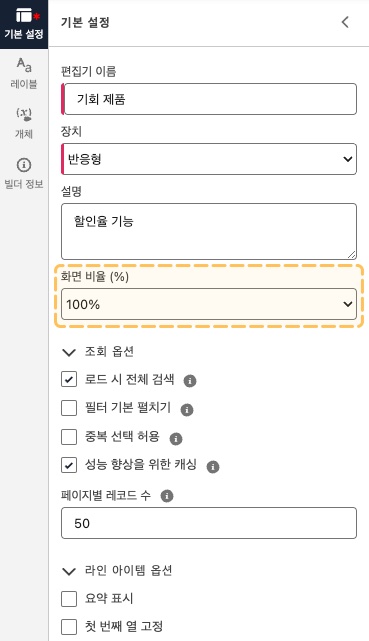
화면 비율은 100%, 90%, 80%를 지원하며, 기본값은 100%로 설정되어 있습니다.

<figure><img src="/files/vEqUnfWj8kOOHS4H1xc4" alt=""><figcaption><p>사이드 패널에서 기본 설정 메뉴 화면입니다.</p></figcaption></figure>

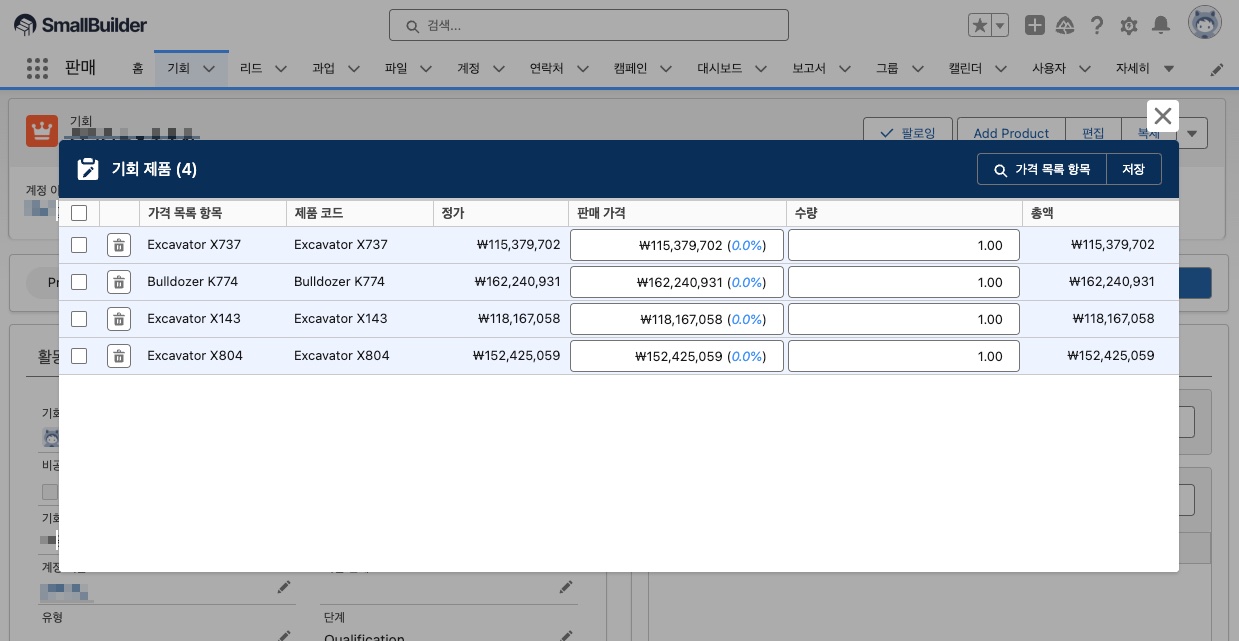
#### 화면 비율을 100% 설정했을 때

일반적인 편집기 화면이 표시됩니다.

<figure><img src="/files/Ug9PCq49130kCgLF1rQA" alt=""><figcaption><p>화면 비율 100%</p></figcaption></figure>

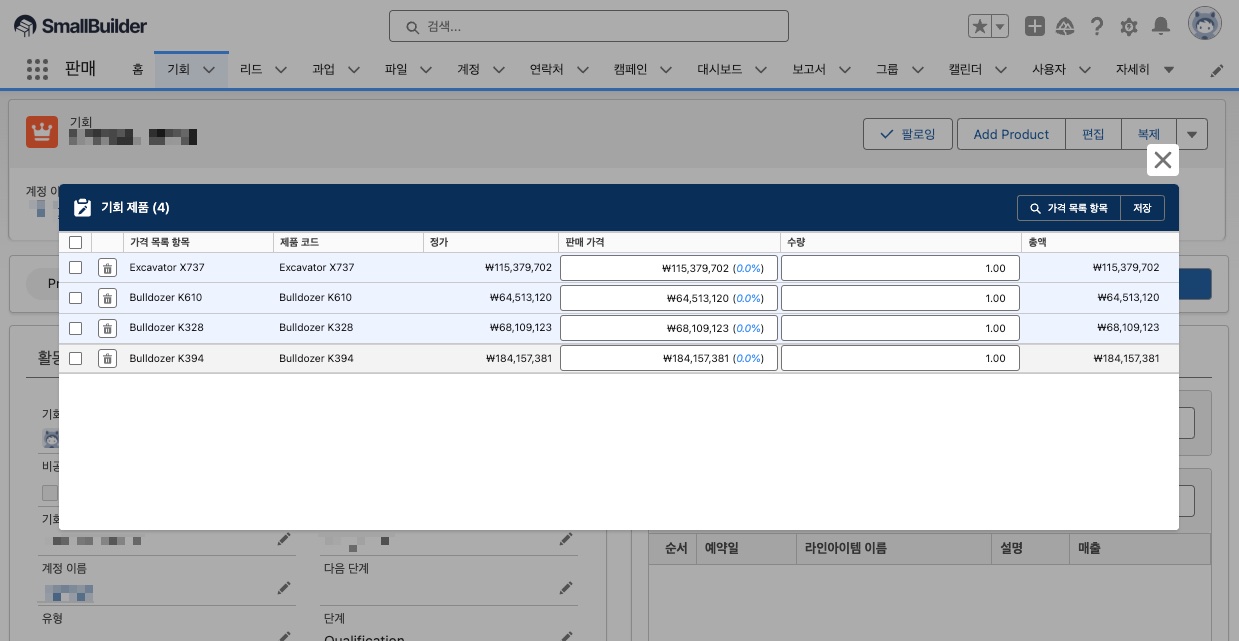
#### 화면 비율을 80% 설정했을 때

편집기에 표시되는 열이 많은 경우, 화면 비율을 낮추면 한 화면에서 더 많은 열을 확인할 수 있습니다.
<figure><img src="/files/D7vcAudALc6osaCchrSi" alt=""><figcaption><p>화면 비율 80%</p></figcaption></figure>


---

# Agent Instructions: Querying This Documentation

If you need additional information that is not directly available in this page, you can query the documentation dynamically by asking a question.

Perform an HTTP GET request on the current page URL with the `ask` query parameter:

```
GET https://help.smallbuilder.com/ko/smallbuilder-line-items/builder/default-setting/screen-rate.md?ask=<question>
```

The question should be specific, self-contained, and written in natural language.
The response will contain a direct answer to the question and relevant excerpts and sources from the documentation.

Use this mechanism when the answer is not explicitly present in the current page, you need clarification or additional context, or you want to retrieve related documentation sections.