> For the complete documentation index, see [llms.txt](https://help.smallbuilder.com/llms.txt). Markdown versions of documentation pages are available by appending `.md` to page URLs; this page is available as [Markdown](https://help.smallbuilder.com/ko/smallbuilder-line-items/builder/default-setting/lline-item-editor-settings/show-summary.md).
# 요약 표시하기
라인 아이템 편집기 하단에 요약 정보를 표시합니다.
### 예시: 라인 아이템 총액 필드 값의 합계 표시하기
{% hint style="info" %}
이 예시에서는 기회 제품에 대한 라인 아이템 편집기를 설정하였습니다.
* **부모:** 기회(`Opportunity`)
* **라인 아이템:** 기회 제품(`OpportunityLineItem`)
* **조회:** 가격 목록 항목(`PricebookEntry`)
{% endhint %}
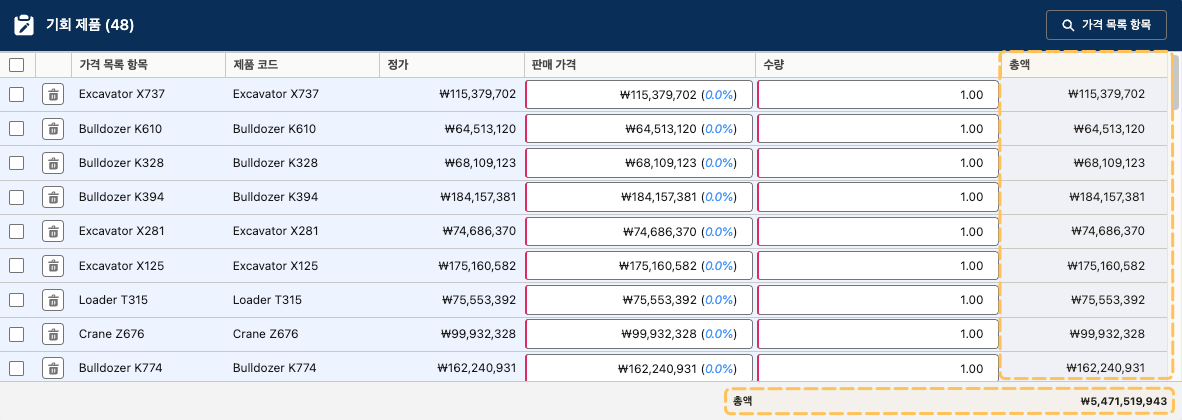
라인 아이템 편집기에서 추가된 모든 데이터의 총액(`TotalPrice`) 필드(열) 값을 합산하여 하단에 합계를 표시하려고 합니다.
#### 설정 방법
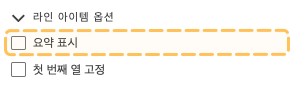
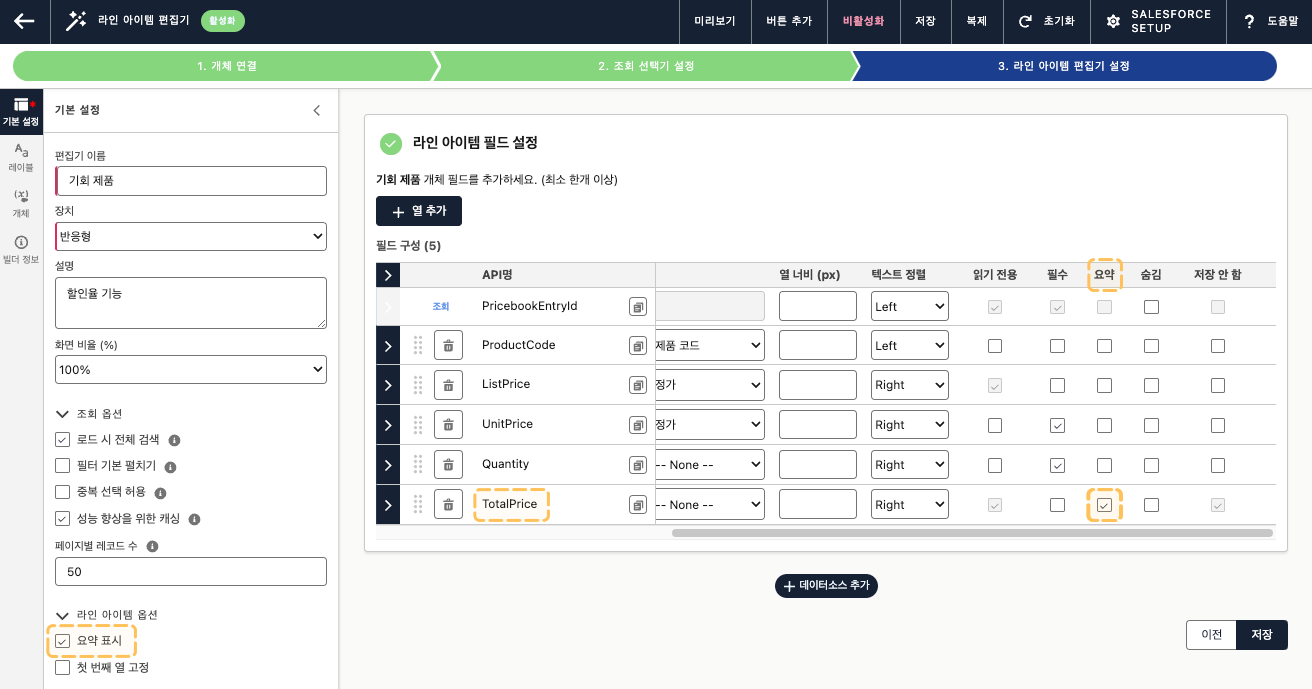
1. 기본 설정의 라인 아이템 옵션에서 '요약 표시'를 활성화합니다.
2. 라인 아이템 편집기 설정 단계에서 총액(`TotalPrice`) 필드(열)의 요약 속성을 활성화합니다.
#### 결과
라인 아이템 편집기를 실행하면, 추가된 데이터의 총액 합계가 하단에 표시되는 것을 확인할 수 있습니다.