> For the complete documentation index, see [llms.txt](https://help.smallbuilder.com/llms.txt). Markdown versions of documentation pages are available by appending `.md` to page URLs; this page is available as [Markdown](https://help.smallbuilder.com/ko/smallbuilder-line-items/builder/builder-setup-steps/setup-line-item-editor/reorder-columns.md).
# 열 순서 변경하기
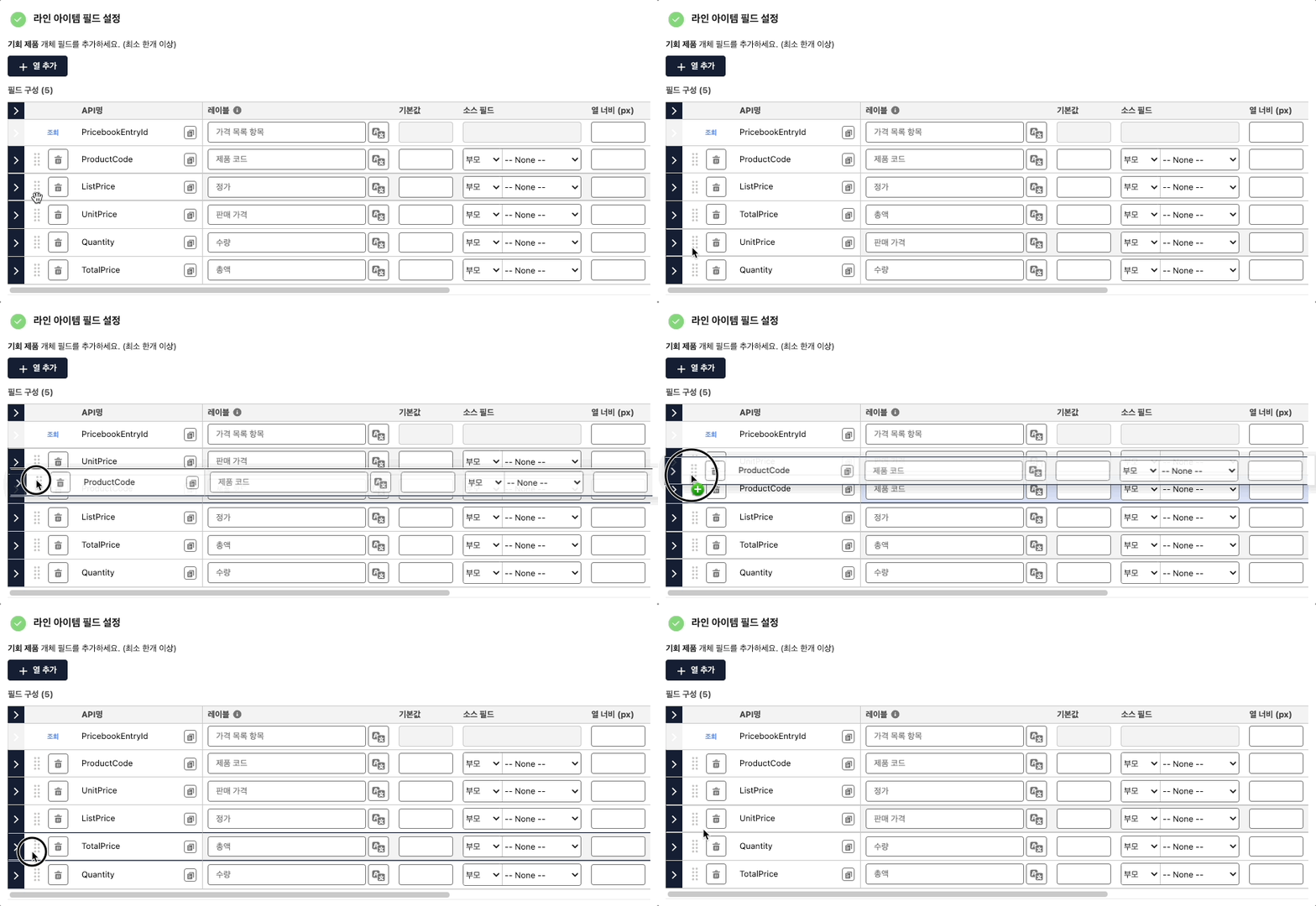
추가된 열은 Drag & Drop을 사용하여 순서를 변경할 수 있습니다.
### 열 순서 변경 방법
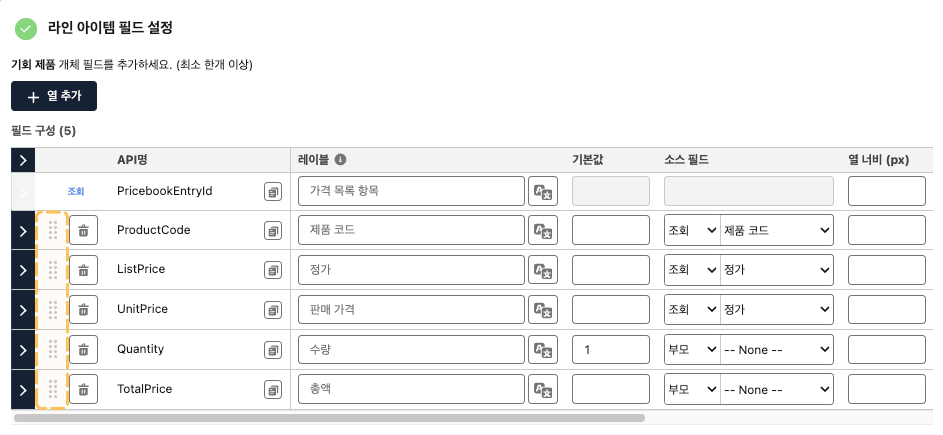
1. 원하는 열의 맨 좌측 아이콘()을 마우스로 클릭한 상태로 유지합니다.
2. 마우스를 클릭한 상태에서 열을 원하는 위치로 Drag & Drop 합니다.
#### 열 정렬 예시
 )을 마우스로 클릭한 상태로 유지합니다.
2. 마우스를 클릭한 상태에서 열을 원하는 위치로 Drag & Drop 합니다.
)을 마우스로 클릭한 상태로 유지합니다.
2. 마우스를 클릭한 상태에서 열을 원하는 위치로 Drag & Drop 합니다.