> For the complete documentation index, see [llms.txt](https://help.smallbuilder.com/llms.txt). Markdown versions of documentation pages are available by appending `.md` to page URLs; this page is available as [Markdown](https://help.smallbuilder.com/ko/smallbuilder-line-items/builder/builder-setup-steps/setup-line-item-editor/read-only.md).
# 읽기 전용으로 표시하기
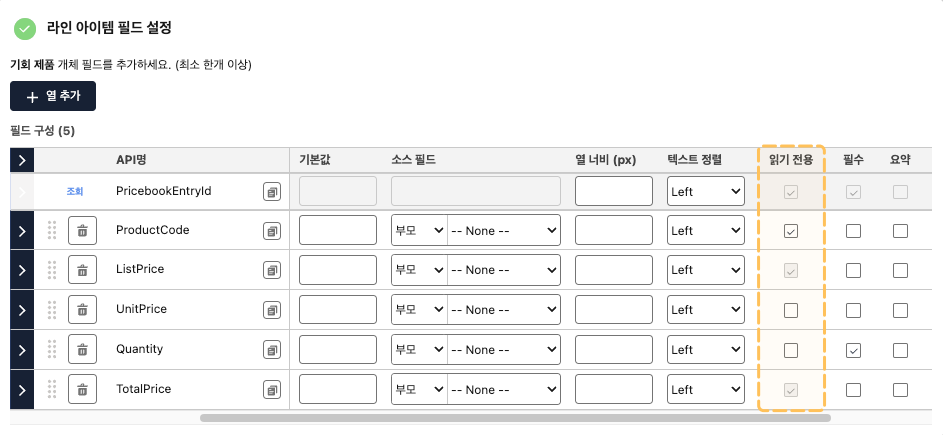
기본적으로 라인 아이템 필드는 수식 필드를 제외하고 값을 입력받습니다. 그러나 데이터 표시 용도로 사용되는 필드는 읽기 전용으로 설정하세요.
#### 읽기 전용 설정 예시
### 조건에 따라 읽기 전용으로 표시하기
라인 아이템 필드(열)의 **고급 설정** 메뉴에서 ‘**읽기 전용 고급 설정**’을 통해 설정할 수 있습니다. 해당 기능에 대한 자세한 내용은 ‘[특정 조건에 따라 읽기 전용으로 설정하기](/ko/smallbuilder-line-items/builder/builder-setup-steps/setup-line-item-editor/undefined-1/undefined-4.md)’ 매뉴얼을 참고하세요.