> For the complete documentation index, see [llms.txt](https://help.smallbuilder.com/llms.txt). Markdown versions of documentation pages are available by appending `.md` to page URLs; this page is available as [Markdown](https://help.smallbuilder.com/ko/smallbuilder-line-items/builder/builder-setup-steps/setup-line-item-editor/do-not-save.md).
# 일부 필드 값 저장 시 제외하기
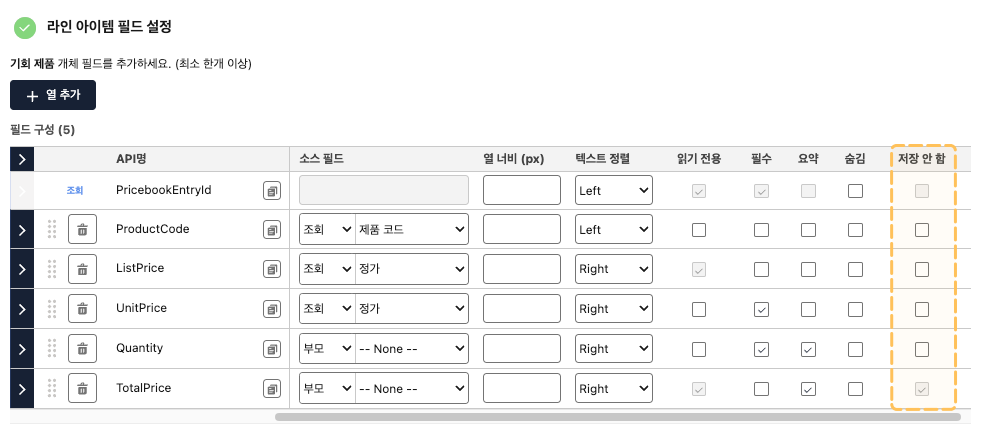
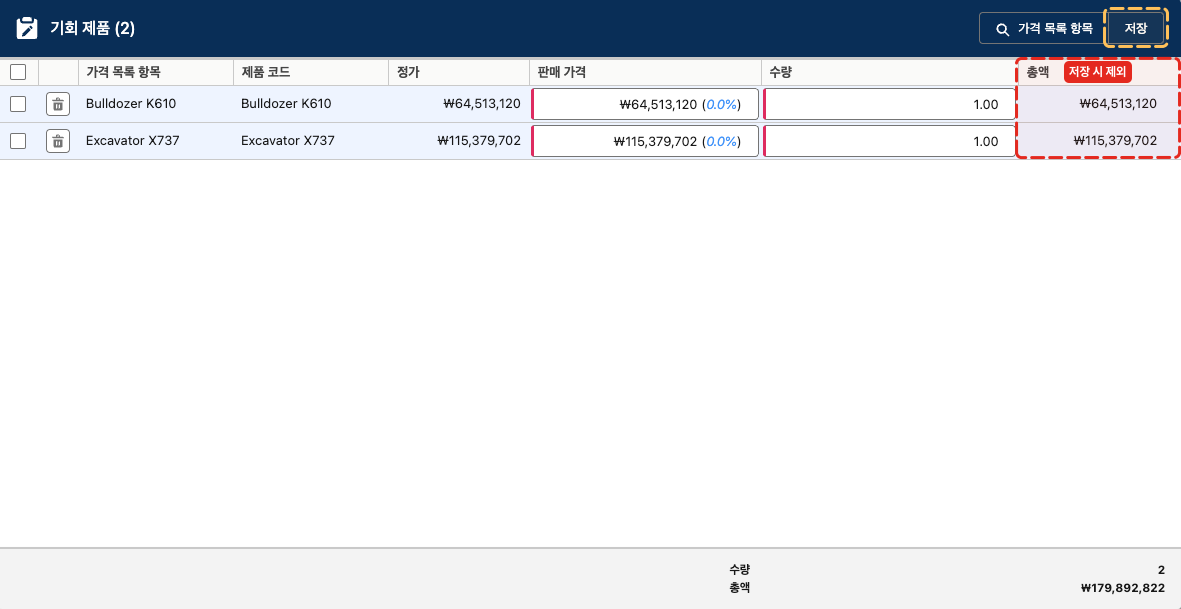
기회 제품을 기반으로 설정한 경우, 편집기에서 단가와 총액을 모두 표시하려고 합니다. 기회 제품에서 단가와 총액은 편집 가능한 필드이지만, 동시에 저장할 수는 없습니다. 총액은 내부적으로 단가와 수량에 의해 자동 계산되어 저장됩니다.
이때, 총액을 읽기 전용으로 설정하면 충분하지 않을까 생각할 수 있습니다. 그러나 라인 아이템 편집기는 **빌더 설정에 의존**하기 때문에, 읽기 전용으로 표시되더라도 해당 필드가 **편집 가능한 필드로 설정**되어 있으면 내부적으로 **저장**이 이루어집니다.
따라서, 수식 필드와 같은 읽기 전용 필드를 제외하고, **저장하지 않아야 하는 필드**인 경우 반드시 ‘**저장 안 함**’ 설정을 활성화해야 합니다.
{% hint style="info" %}
스탠다드 개체인 기회, 견적, 주문에 대한 설정인 경우, 총액 필드를 추가하면 자동으로 ‘저장 안 함’이 활성화됩니다.
{% endhint %}