> For the complete documentation index, see [llms.txt](https://help.smallbuilder.com/llms.txt). Markdown versions of documentation pages are available by appending `.md` to page URLs; this page is available as [Markdown](https://help.smallbuilder.com/ko/smallbuilder-line-items/builder/builder-setup-steps/setup-line-item-editor/add-columns.md).
# 열 추가하기
라인 아이템 편집기에 표시 및 작업할 필드(열)을 설정합니다.
{% hint style="warning" %}
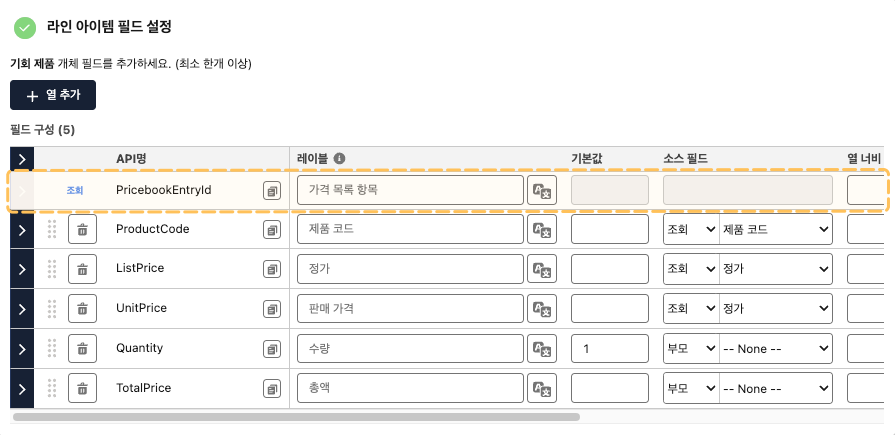
미리 추가된 **조회 참조 필드는 삭제할 수 없습니다.** 라인 아이템 편집기에서 해당 필드를 표시하지 않으려면, **숨김 설정**을 체크하세요.
{% endhint %}
{% hint style="danger" %}
현재 **필드 보안 수준(Field-Level Security)에 따라 필드가 제어되지 않습니다.** 사용자가 해당 필드에 대한 권한이 없을 경우, 오류가 발생합니다. 추후에 개선될 예정입니다.
{% endhint %}
### 설정 방법
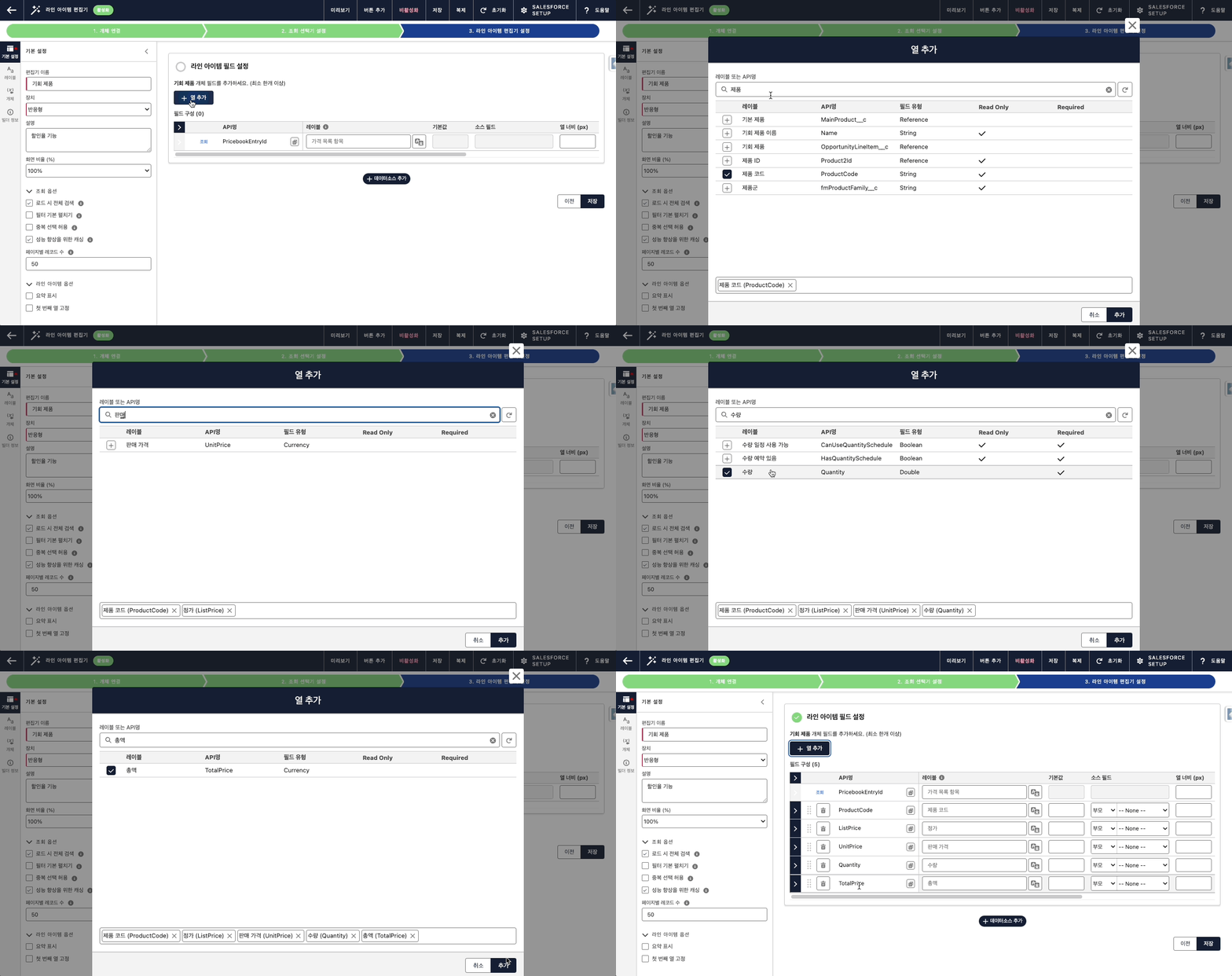
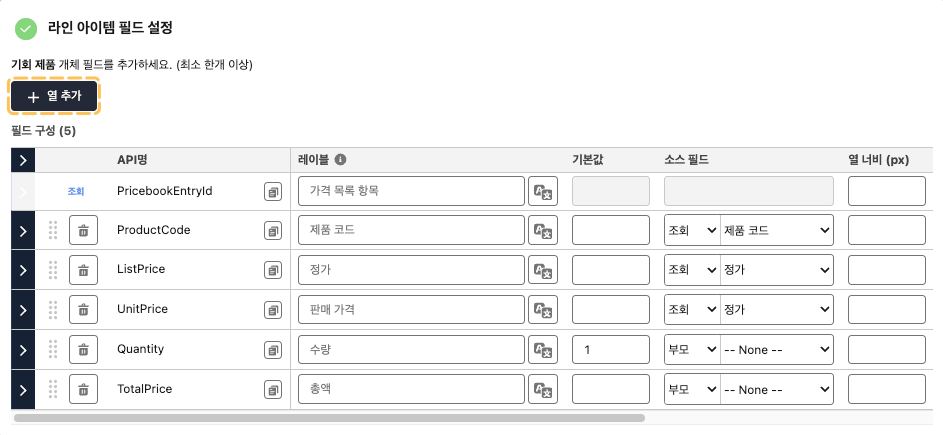
라인 아이템 편집기 설정 단계에서 **\[열 추가]** 버튼을 클릭하여 라인 아이템 편집기에 작업할 필드를 선택합니다.
#### 열 추가 예시
 {% endhint %}
{% hint style="danger" %}
현재 **필드 보안 수준(Field-Level Security)에 따라 필드가 제어되지 않습니다.** 사용자가 해당 필드에 대한 권한이 없을 경우, 오류가 발생합니다. 추후에 개선될 예정입니다.
{% endhint %}
### 설정 방법
라인 아이템 편집기 설정 단계에서 **\[열 추가]** 버튼을 클릭하여 라인 아이템 편집기에 작업할 필드를 선택합니다.
{% endhint %}
{% hint style="danger" %}
현재 **필드 보안 수준(Field-Level Security)에 따라 필드가 제어되지 않습니다.** 사용자가 해당 필드에 대한 권한이 없을 경우, 오류가 발생합니다. 추후에 개선될 예정입니다.
{% endhint %}
### 설정 방법
라인 아이템 편집기 설정 단계에서 **\[열 추가]** 버튼을 클릭하여 라인 아이템 편집기에 작업할 필드를 선택합니다.