> For the complete documentation index, see [llms.txt](https://help.smallbuilder.com/llms.txt). Markdown versions of documentation pages are available by appending `.md` to page URLs; this page is available as [Markdown](https://help.smallbuilder.com/ko/smallbuilder-line-items/builder/builder-setup-steps/relate-objects/parent-object.md).
# 부모 개체 (Parent Object)
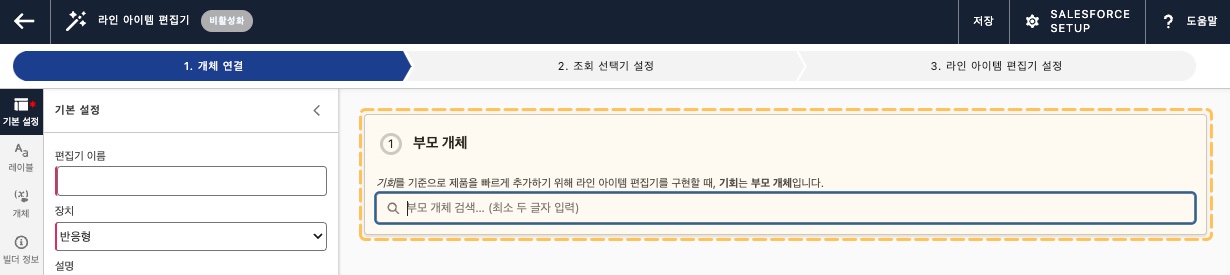
부모 개체는 라인 아이템 개체의 **상위 개체**로, **Master-Detail** 또는 **Lookup** 관계를 가집니다. 라인 아이템 편집기는 부모 개체의 레코드 페이지에서 실행됩니다. 빌더에서 부모 개체를 검색할 때, 하위 개체를 가지고 있는 개체만 검색이 가능합니다.
빌더 - 개체 연결 단계
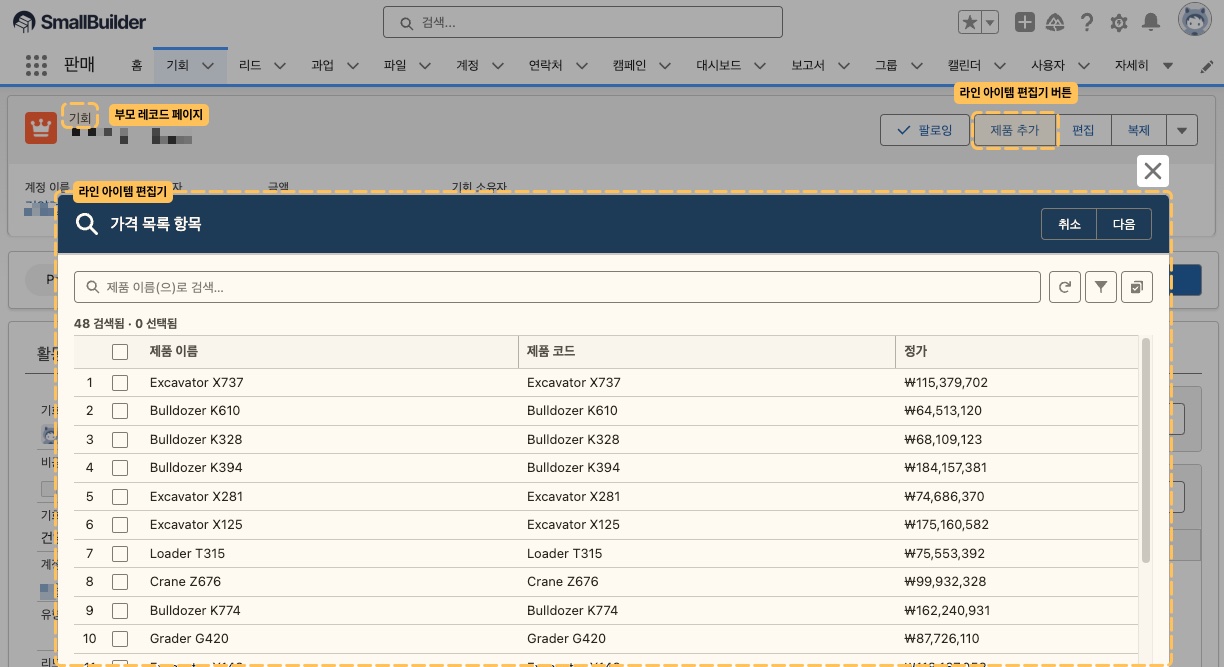
부모 개체의 레코드 페이지에서 라인 아이템 편집기를 실행합니다.
{% hint style="info" %}
[라인 아이템 편집기 버튼](https://github.com/Windmillsoft/smallbuilder-help-kr/blob/main/smallbuilder-line-items/builder/undefined/relate-objects/broken-reference/README.md)은 빌더에서 생성할 수 있으며, 원하는 페이지 레이아웃에 추가할 수 있습니다.
{% endhint %}