# 버튼 생성 및 페이지 레이아웃에 추가하기

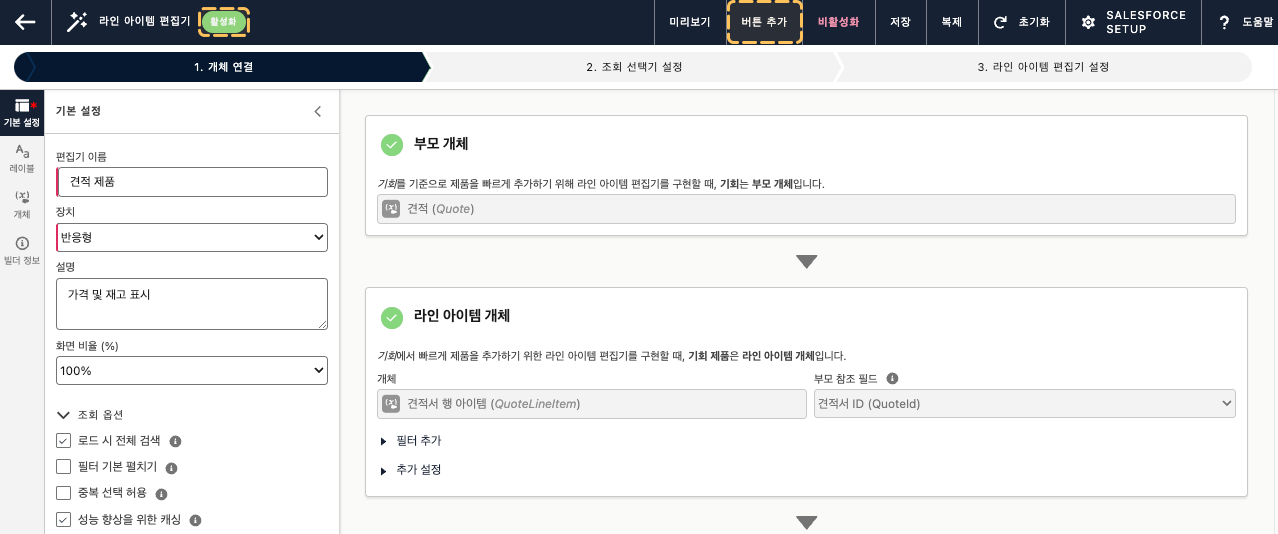
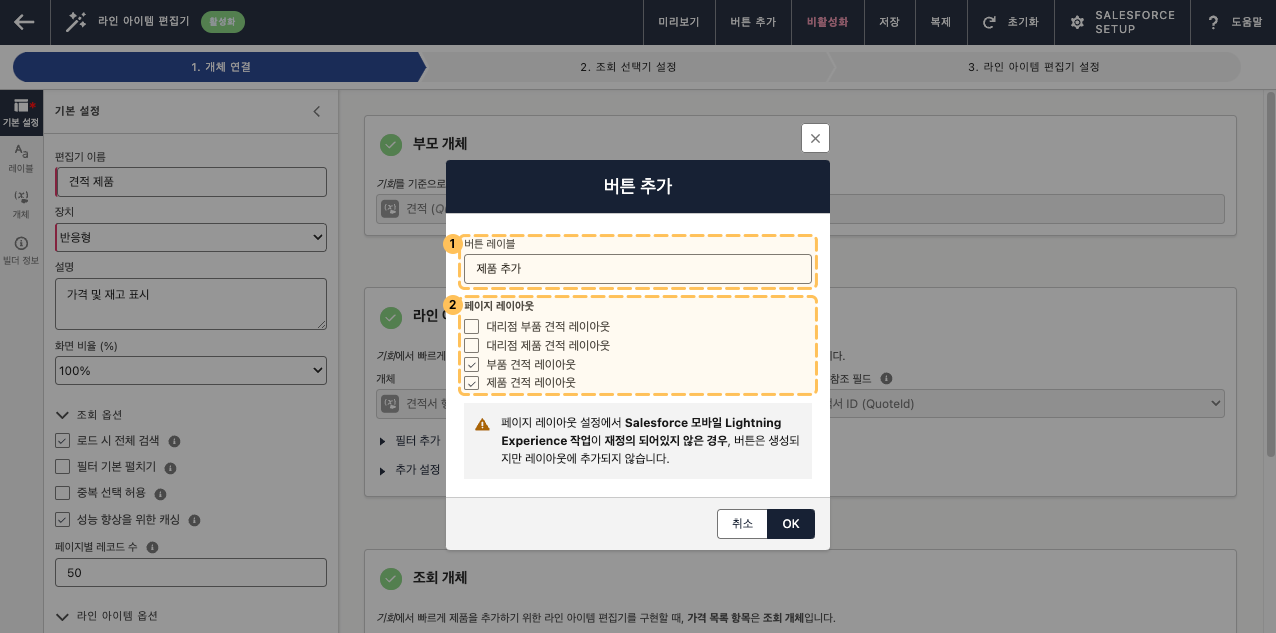
빌더가 활성화되면, 편집기를 실행할 버튼을 생성하여 부모 페이지 레이아웃에 추가합니다.

### 버튼 생성 및 페이지 레이아웃 할당

<figure><img src="/files/adAuHOQh1ZFpt4uojVaQ" alt=""><figcaption></figcaption></figure>

<figure><img src="/files/GoKCDH9u5wQriSYnrhsf" alt=""><figcaption></figcaption></figure>

<table data-header-hidden><thead><tr><th width="65"></th><th width="152"></th><th></th></tr></thead><tbody><tr><td><strong>1</strong></td><td><strong>버튼 레이블</strong></td><td>편집기 버튼의 레이블입니다.</td></tr><tr><td><strong>2</strong></td><td><strong>페이지 레이아웃</strong></td><td>버튼 생성 후, 추가할 페이지 레이아웃을 선택합니다.</td></tr></tbody></table>

### 버튼의 Aura Component

빌더에서 라인 아이템 편집기 버튼을 생성하면, 아래와 같은 Aura Component가 생성됩니다. 버튼에 연결된 편집기를 **다양하게 활용**하고 싶다면, **버튼이 호출하는 Aura Component를 수정**하면 됩니다.

[편집기의 Aura Component 활용하기 >](/ko/smallbuilder-line-items/use-cases/utilizing-the-editors-aura-component.md)
---

# Agent Instructions: Querying This Documentation

If you need additional information that is not directly available in this page, you can query the documentation dynamically by asking a question.

Perform an HTTP GET request on the current page URL with the `ask` query parameter:

```
GET https://help.smallbuilder.com/ko/smallbuilder-line-items/builder/builder-setup-steps/create-button.md?ask=<question>
```

The question should be specific, self-contained, and written in natural language.
The response will contain a direct answer to the question and relevant excerpts and sources from the documentation.

Use this mechanism when the answer is not explicitly present in the current page, you need clarification or additional context, or you want to retrieve related documentation sections.
