> For the complete documentation index, see [llms.txt](https://help.smallbuilder.com/llms.txt). Markdown versions of documentation pages are available by appending `.md` to page URLs; this page is available as [Markdown](https://help.smallbuilder.com/ko/smallbuilder-documents/start-with/eca-setup.md).
# 외부 클라이언트 앱 (ECA) 설정
SmallBuilder Documents의 **빌더 화면**에서 **버튼 생성 및 페이지 레이아웃에 버튼 추가 등** 메타데이터 관련 작업을 수행하려면 SmallBuilder Documents에서 제공하는 외부 클라이언트 앱(External Client App)에 대한 추가 설정이 필요합니다.
### 설정 방법
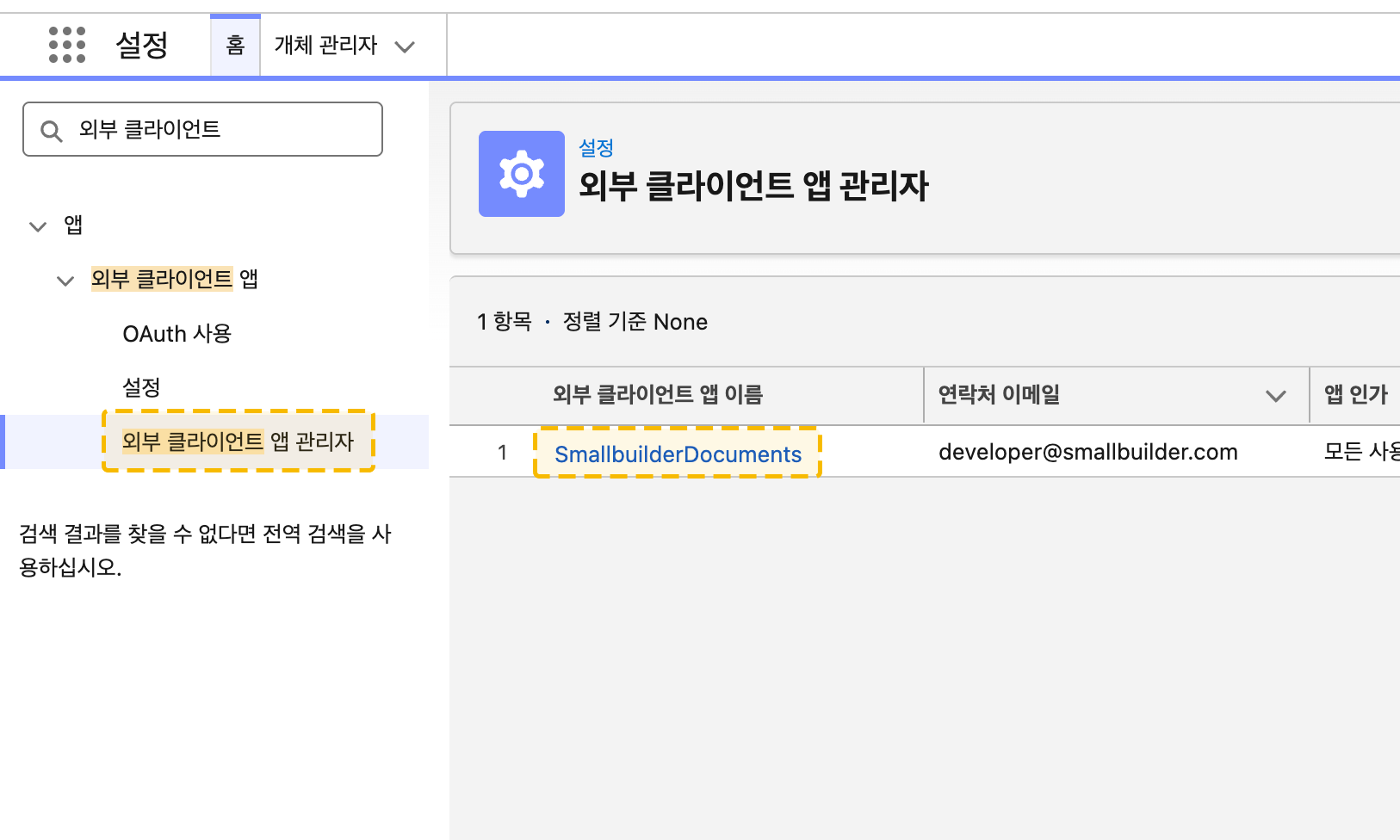
1. 설정에서 빠른 찾기 상자에 외부 클라이언트 앱(External Client App)을 입력한 후 외부 클라이언트 앱 관리자(External Client App Manager)를 선택합니다.
2. **SmallBuilderDocuments**를 클릭합니다.
3. **편집**을 클릭합니다.
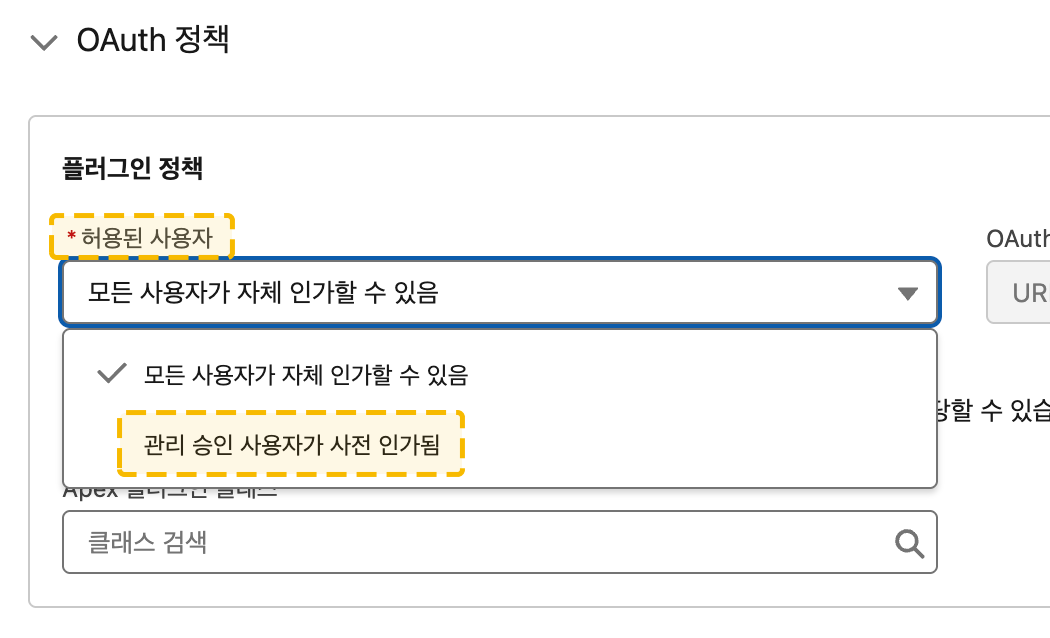
4. **OAuth 정책** 섹션에서 **허용된 사용자**를 **관리 승인 사용자가 사전 인가됨**으로 선택합니다.
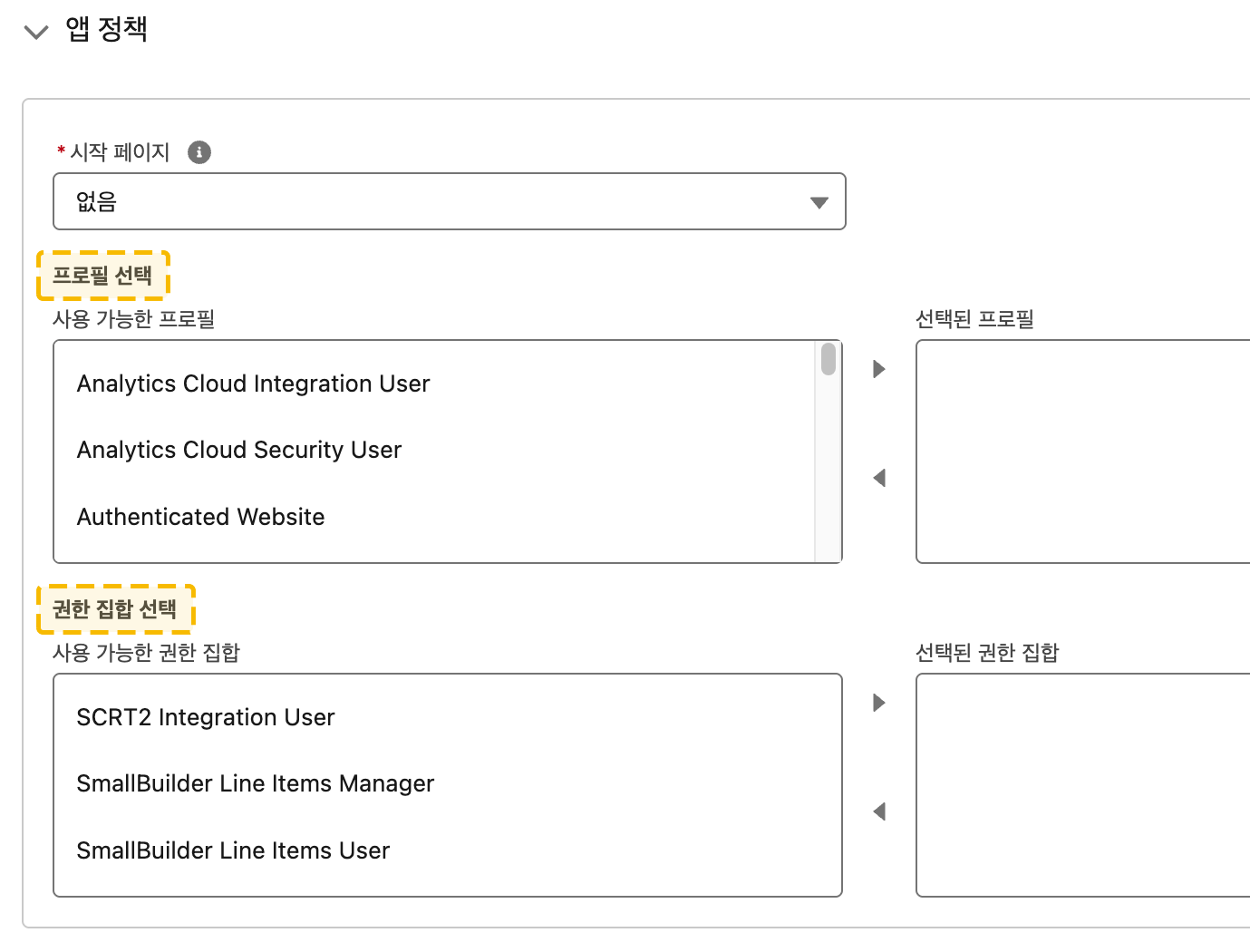
5. **앱 정책** 섹션에서 **빌더 설정을 담당하는 프로필 또는 권한 집합**을 선택합니다.
6. **저장**을 클릭합니다.